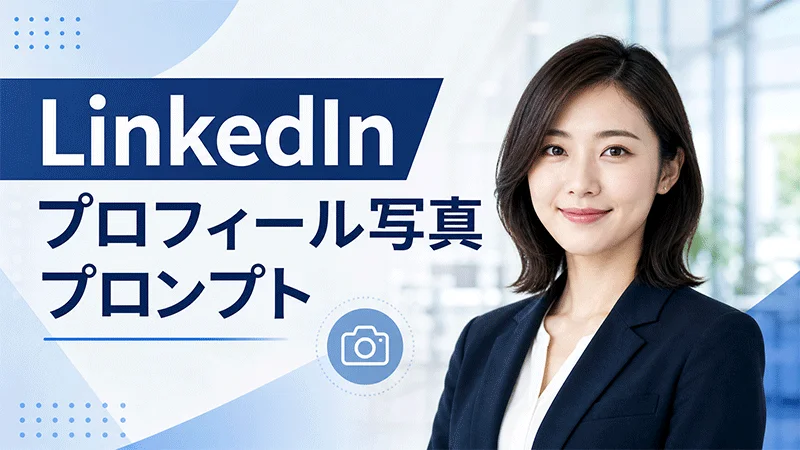
LinkedIn(リンクトイン)のプロフィール写真は、あなたのデジタル・ファーストインプレッションです。採用担当者や潜在的なクライアントが最初に目にする重要な要素と言えます。しかし、誰もがプロのヘッドショットを撮影するための予算や機材を持っているわけではありません。そこで役立つのが「LinkedIn写真プロンプト」です。
AI画像生成ツールと適切に作成されたプロンプトを活用すれば、普通の自撮り写真をわずか数分でビジネスにふさわしい洗練されたヘッドショットに変えられます。本ガイドでは、男性・女性向けの最適なLinkedIn写真プロンプトを厳選して紹介し、自信とプロフェッショナリズムを映し出すリアルなプロフィール写真の作成方法を解説します。
パート 1. 男性向けLinkedInプロフィール写真プロンプト7選
LinkedInのプロフィール写真は、強力でプロフェッショナルな第一印象を築くうえで欠かせません。男性ビジネスパーソンが自信と信頼感を伝えるためには、洗練されたヘッドショットが効果的です。以下に、男性向けの7つのLinkedInプロフィール写真プロンプトをご紹介します。
1. 自信に満ちた経営幹部(コーポレートエグゼクティブ)

“Use the uploaded image and transform it into a professional LinkedIn headshot of a confident corporate executive. Keep the facial identity realistic and polished. Dress him in a navy blue suit, white dress shirt, and elegant tie. Add a soft, confident smile, direct eye contact, and a slightly angled shoulder pose. Use soft studio lighting with a clean gray background. Enhance grooming, skin tone, and sharpness while maintaining a natural look. Make the final image polished, trustworthy, and ideal for a senior business professional.”
2. 親しみやすいスタートアップ創業者
“Transform the uploaded image and turn it into a modern LinkedIn headshot of a friendly startup founder. Preserve the person’s facial features while giving the portrait a polished, realistic finish. Dress him in a smart casual blazer over a black crew-neck shirt. Add a natural warm smile and a relaxed seated pose with shoulders slightly turned. Use bright daylight and a softly blurred office or coworking background. Make the image feel approachable, innovative, and professional, perfect for entrepreneurs, founders, and business owners building a strong LinkedIn presence.”
3. スマートカジュアルなテックプロフェッショナル
“Turn the uploaded image and transform it into a professional LinkedIn headshot of a smart casual tech professional. Keep the face realistic and identity accurate. Dress him in a light gray blazer over a navy polo shirt. Add a friendly smile, slight head tilt, and relaxed standing pose. Use cool, soft indoor lighting with a clean blurred office background. Improve grooming, facial detail, and overall sharpness. Make the headshot feel modern, intelligent, approachable, and polished, perfect for software engineers, product managers, IT specialists, or tech consultants.”
4. シニア弁護士のポートレート
“Use the uploaded image and convert it into a premium LinkedIn headshot of a senior lawyer. Maintain the subject’s identity while giving the portrait a formal and polished appearance. Dress him in a dark tailored suit, crisp white shirt, and elegant tie. Add a serious yet welcoming expression with a slight controlled smile. Use a straight posture and strong eye contact. Apply classic studio lighting with a dark neutral background. Make the final image realistic, authoritative, trustworthy, and sophisticated, ideal for a lawyer, legal consultant, or senior advisor.”
5. 親しみやすい営業コンサルタント
“Convert the uploaded image and transform it into a professional LinkedIn headshot of an approachable sales consultant. Keep the face natural and realistic while enhancing overall quality. Dress him in a beige blazer and light blue shirt without a tie. Add a broad friendly smile, open shoulder posture, and slightly forward-leaning pose. Use warm lighting and a softly blurred office or city-view background. Improve grooming and clarity while keeping the image authentic. Make the portrait look energetic, persuasive, confident, and perfect for sales or client-facing business roles.”
6. 医療管理者のポートレート
“Turn the uploaded image and transform it into a professional LinkedIn headshot of a healthcare administrator. Keep the subject’s face recognizable and realistic. Dress him in a dark blazer with a pale blue shirt and no tie for a clean, approachable look. Add a gentle smile, upright posture, and calm expression. Use soft studio lighting and a bright clean background with a subtle medical-office feel. Enhance skin tone, clarity, and grooming. Make the final image trustworthy, organized, compassionate, and suitable for healthcare management or administrative roles.”
7. モダンなリモートワーカー
“Use the uploaded image and convert it into a modern LinkedIn headshot of a remote professional. Preserve the face and keep the portrait realistic. Dress him in a crisp white shirt paired with a dark blazer. Add a natural smile, slightly angled seated pose, and relaxed but confident body language. Use soft window lighting and a clean home-office background with subtle blur. Improve grooming, sharpness, and facial detail while maintaining authenticity. Make the final image look polished, credible, productive, and ideal for freelancers or remote business professionals.”
パート 2. 女性向けLinkedInプロフィール写真プロンプト3選
LinkedInプロフィールを強化したい働く女性にとって、プロフェッショナルなヘッドショットは自信と記憶に残る第一印象を与えるのに役立ちます。ここでは、2026年におすすめの女性向けLinkedInヘッドショットプロンプトを厳選して3つご紹介します。
1 プロフェッショナルなマーケティングスペシャリスト
“Use the uploaded photo to create a polished LinkedIn headshot of a female marketing specialist. Preserve her identity and natural appearance while enhancing facial detail and image quality. Dress her in a stylish pastel blazer with an open-collar white shirt. Position her slightly sideways with a cheerful smile and confident expression. Use warm natural lighting and a softly blurred creative office background. The final portrait should feel modern, engaging, professional, and expressive, making it ideal for marketing, branding, advertising, public relations, or social media roles.”
2 エレガントな法務専門家
“Convert the uploaded image into a sophisticated LinkedIn headshot of a female lawyer or legal consultant. Keep her face recognizable, realistic, and naturally detailed. Dress her in a structured charcoal blazer over a crisp cream blouse. Add strong eye contact, straight posture, and a composed expression with a slight welcoming smile. Use balanced studio lighting and a muted dark-gray background. Refine the hairstyle and overall grooming without changing her identity. Make the portrait authoritative, trustworthy, elegant, and suitable for legal or advisory positions.”
3 スマートなテクノロジープロフェッショナル
“Transform the uploaded selfie into a modern LinkedIn headshot of a female technology professional. Maintain her facial identity, skin texture, and natural proportions. Dress her in a light-gray blazer over a dark crew-neck top. Give her a relaxed posture, slight head tilt, and friendly closed-mouth smile. Use cool, balanced lighting with a softly blurred contemporary office background. Keep the styling polished but not overly formal. Make the portrait intelligent, confident, approachable, and suitable for software engineering, product management, data analysis, or IT consulting.”
パート 3. 普通の自撮り写真をプロのLinkedInプロフィール写真に変える方法
適切なLinkedIn写真プロンプトを入手したら、次はそのプロンプトを使ってプロフェッショナルなヘッドショットに変換するステップです。この作業には、HitPaw Edimakorの利用をおすすめします。Edimakorは、普通の自撮り写真から洗練されたLinkedInプロフィール写真を作成できるAI搭載の編集ツールです。
Edimakorの最大の特長は、Nano Banana 2、Seadream 5.0 pro、GPT image 2など、複数のAIモデルをサポートしている点です。また、画像生成だけでなく、テキストから画像生成、AI顔入れ替え、オンライン動画編集、高画質ダウンロードなど、強力なAI機能も備えています。直感的なインターフェースにより、初心者、フリーランサー、ビジネスオーナーでも、写真や編集の専門知識がなくても簡単に利用できます。

Edimakorの主な機能
- 参考画像から画像へ: Edimakorは、普通の自撮り写真をプロフェッショナルなヘッドショットに変換します。LinkedInプロフィール写真に最適です。自撮り写真をアップロードし、LinkedIn写真プロンプトを入力し、AIモデルを選択して「生成」ボタンをクリックするだけです。
- 複数のAIモデル: このプログラムには多様なAIモデルが含まれており、ユーザーは高品質なヘッドショットを簡単に作成できます。Nano Banana 2、Seadream 5.0 pro、GPT image 2などのAIモデルを提供しています。
- カスタマイズオプション: このツールの際立った機能の一つは、高度なカスタマイズ機能を備えている点です。ユーザーはヘッドショットの服装、髪型、顔の特徴などを調整できます。
- ウェブベースのツール: プログラムは完全にウェブブラウザ上で動作するため、ソフトウェアをダウンロードまたはインストールする必要はありません。Windows、macOS、Linux、さらにはモバイルデバイスにも対応しており、インターネット接続があればどこからでもアクセス可能です。
- 直感的なインターフェース: Edimakorは使いやすいインターフェースを備えており、テクノロジーに詳しくないユーザーにも最適です。シンプルなレイアウトにより、編集経験がなくても自撮り写真をアップロードし、LinkedIn写真プロンプトを入力してプロフェッショナルなヘッドショットを生成できます。
手順:
以下の手順に従って、シンプルなテキストプロンプトでLinkedIn用のプロフェッショナルなヘッドショットを作成する方法を学びましょう。
ステップ 1: Edimakorを開き、メイン画面>「ツールボックス」>「参考画像から画像へ」をクリックします。
ステップ 2: LinkedInプロフィールに変換したい写真をアップロードし、「AIモデル」を選択します。
ステップ 3: 次に、プロンプトボックスにLinkedIn写真プロンプトを入力します。
ステップ 4: アスペクト比や出力枚数などの画像設定を選択します。最後に、「生成」ボタンをクリックします。結果をプレビューし、「マイプロジェクト」に移動してダウンロードしたい画像を選択し、「ダウンロード」をクリックします。
まとめ
このガイドを読めば、LinkedInのプロフィール写真について心配する必要はもうありません。LinkedIn写真プロンプトを活用すれば、普通の自撮り写真をわずか数分で洗練されたプロフェッショナルなヘッドショットに変えられます。さらに、HitPaw Edimakorのようなツールを使えば、高価なスタジオ撮影をしなくても、フリーランサーや企業がリアルなプロフィール写真を簡単に作成できるようになります。
コメントで参加しよう!
HitPawの記事にレビューを書いてみましょう!