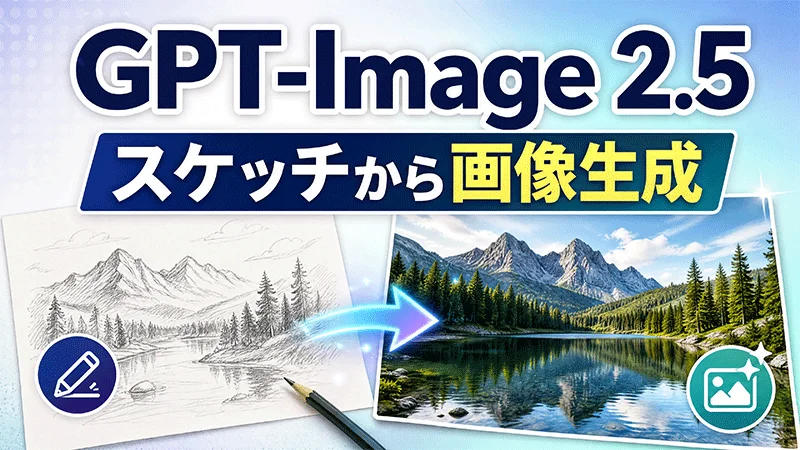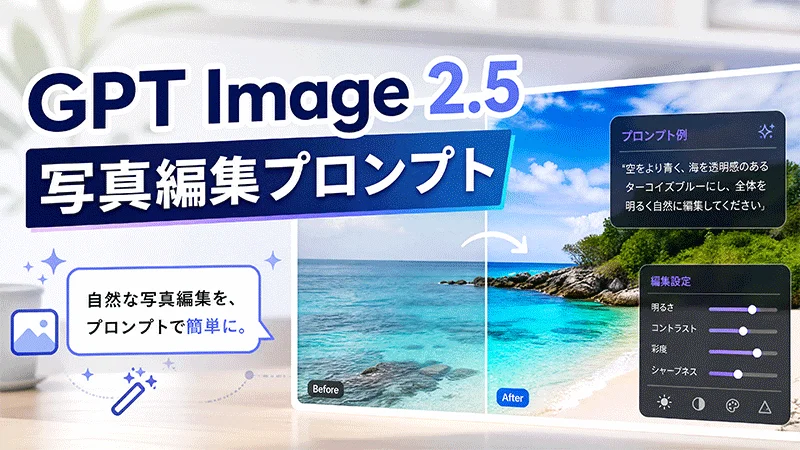

AIスケッチから画像を生成する方法なら、完成度の高い絵を最初から描かなくても、簡単なラフスケッチからイメージを形にできます。被写体や形、構図を数本の線で示し、AIにスケッチとプロンプトを与えることで、色や光、質感、細部まで仕上げられます。近年は、アイデアを描いて画像生成に活用できる「スケッチ」を搭載したChatGPT Images 2.5によって、この方法がさらに注目されています。本記事では、AIスケッチから画像を生成する際に使える代表的なプロンプト10選と、HitPaw Edimakorで同様の画像を作る方法を紹介します。
パート 1. AIスケッチから画像生成とは?
AIスケッチから画像生成とは、ラフな下絵をもとに、AIでより完成度の高い画像へ仕上げる制作方法です。スケッチで構図や配置などの視覚的な情報を示し、テキストプロンプトで最終的な画像の雰囲気や仕上がりを具体的に指定します。
細密なイラストを描く必要はありません。人物の位置、建物の形、商品の輪郭、シーンの基本的な構図などを数本の線で示すだけでも十分です。AIがそこに色や素材、ライティング、質感、アートスタイルなどの要素を加え、イメージを具体的な画像へ仕上げてくれます。
この方法は、ChatGPT上で直接スケッチを描き、その画像を生成時の視覚的なガイドとして利用できる「スケッチ」を搭載したChatGPT Images 2.5によって、さらに広く知られるようになりました。OpenAIでは、部屋のレイアウトを描いたり、服装のデザインを簡単に描いたり、ラフな落書きを作ったりしてから、AIに完成した画像へ仕上げてもらう使い方が紹介されています。
パート 2. AIスケッチから画像を生成するプロンプト10選
1. インテリアスケッチからリアルな部屋の画像へ

Turn this rough interior sketch into a photorealistic Scandinavian living room. Preserve the original room layout, furniture placement, proportions, and perspective. Use light oak furniture, soft beige fabrics, natural greenery, large windows, warm daylight, realistic textures, and a clean, airy high-end interior photography style.
2. ファッションスケッチからエディトリアル写真へ
Transform this fashion sketch into a high-end editorial fashion photograph. Preserve the original pose, silhouette, proportions, and clothing structure. Use flowing black silk fabric with subtle metallic details, sophisticated styling, realistic fabric texture, dramatic studio lighting, a minimalist background, and a refined luxury fashion magazine aesthetic.
3. キャラクターの落書きから3Dキャラクターへ
Turn this character doodle into a polished 3D animated character. Preserve the original hairstyle, facial features, proportions, clothing, and pose. Add detailed hair, expressive eyes, realistic fabric textures, soft cinematic lighting, and a high-quality animated film aesthetic while keeping the character recognizable.
4. 商品スケッチから広告用ビジュアルへ
Turn this rough product sketch into a premium commercial product render. Preserve the original shape, proportions, button placement, and overall structure. Use a matte white body with subtle metallic accents, realistic materials, soft studio lighting, natural shadows, and a clean neutral background suitable for a product advertisement.
5. 建築スケッチからリアルな完成イメージへ
Transform this architectural sketch into a realistic visualization of a contemporary glass house. Preserve the original building structure, proportions, roofline, window placement, perspective, and landscape composition. Add concrete, glass, natural wood, lush trees, realistic reflections, warm interior lighting, and a cinematic late-afternoon atmosphere.
6. 子どもの絵から絵本風イラストへ
Turn this child's simple drawing into a charming storybook illustration. Preserve the original characters, objects, composition, and playful proportions. Add soft watercolor textures, warm sunlight, whimsical clouds, expressive details, and a magical children's book aesthetic while keeping the original drawing recognizable.
7. 車のスケッチから未来的なコンセプトカーへ
Transform this rough car sketch into a realistic futuristic electric sports car. Preserve the original body shape, proportions, wheel placement, headlights, and overall silhouette. Add sleek metallic surfaces, refined aerodynamic details, realistic reflections, dramatic studio lighting, and a premium automotive concept presentation.
8. タトゥースケッチから完成デザインへ
Transform this rough black-line tattoo sketch into a refined, colorful botanical tattoo design. Preserve the original branch, leaves, flowers, crescent moon, proportions, and composition. Add soft sage green and olive leaves, delicate lavender and dusty pink flowers, precise black ink outlines, subtle shading, fine botanical details, and gentle watercolor-like color transitions. Keep the design elegant, natural, and suitable for a professional contemporary tattoo.
9. 風景スケッチから映画のようなシーンへ
Turn this simple landscape doodle into a cinematic mountain landscape. Preserve the original placement of the mountains, river, house, and trees. Add realistic mountain textures, lush vegetation, atmospheric mist, soft clouds, warm sunrise light, natural depth, and detailed cinematic landscape photography.
10. 落書きからシュールでリアルな画像へ
Turn this simple doodle into a surreal but photorealistic cinematic scene. Preserve the original composition and exaggerated proportions, including the giant cat and miniature city below. Add realistic fur, detailed architecture, tiny cars and pedestrians, atmospheric clouds, natural daylight, and cinematic photography while keeping the playful idea of the original doodle.
パート 3. Edimakorでスケッチから画像生成
Edimakor AI にはGPT-Image 2.5が搭載されており、テキストプロンプトから完成度の高いAI画像を生成できます。被写体や画風、色、ライティング、構図、背景などを指定するだけで、クリエイティブ制作、SNS投稿、商品イメージ、マーケティング素材など、さまざまな用途の画像を作成できます。
Edimakor AIの主な機能
- AI画像生成:テキストプロンプトでアイデアを説明し、AI画像を生成できます。
- 多彩なビジュアルスタイル:リアル、アート、シネマティック、アニメ、3Dなど、さまざまなスタイルの画像を生成できます。
- プロンプトによる画像編集:簡単な指示を入力するだけで、色、背景、オブジェクト、ライティングなどのディテールを調整できます。
- 参照画像に対応:既存の画像を参考素材として使用し、新しい画像の生成や編集に活用できます。
- 写真エフェクト :クリエイティブなエフェクトやビジュアル変換を適用し、写真の雰囲気やスタイルを変更できます。
- 動画制作にも対応:必要に応じて、生成した画像をアニメーションや音楽、字幕、エフェクトなどを加えた動画作品に仕上げられます。
Edimakor AIでスケッチから画像生成
ステップ1: 画像生成ツールを開く
HitPaw Edimakorを起動し、「AI画像生成」セクションに移動します。このツールを使えば、テキストプロンプトから画像を生成できます。
ステップ2: プロンプトを貼り付けるか入力する
本記事で紹介したスケッチから画像生成のプロンプトの例をコピーして、プロンプトボックスに貼り付けます。もちろん、自分で作成したプロンプトを入力することも可能です。
ステップ3: 生成&ダウンロード
「作成する」ボタンをクリックし、AIが画像を作成するのを待ちます。仕上がりを確認したら、お好みのバージョンをダウンロードしてください。
まとめ
AIスケッチから画像生成する方法なら、完成した絵ではなく、アイデアから画像制作を始められます。数本のラフな線で基本的な構図を示し、具体的なプロンプトでスタイルや色、ライティング、素材、雰囲気を指定することで、アイデアを完成度の高いビジュアルへ仕上げられます。ChatGPT Images 2.5のような近年のツールによって、簡単なスケッチを描いて画像生成のガイドとして使うワークフローも、より手軽になっています。
HitPaw Edimakorの「AI 参照画像」でも、スケッチや参考画像とテキストプロンプトを組み合わせて、同様の方法で画像を生成できます。部屋のデザイン、ファッション、商品アイデア、キャラクター、クリエイティブなシーンなど、さまざまな制作でラフなスケッチから始め、AIを活用してイメージを具体化できます。

コメントで参加しよう!
HitPawの記事にレビューを書いてみましょう!